马上注册,结交更多好友,享用更多功能,让你轻松玩转社区。
您需要 登录 才可以下载或查看,没有账号?注册
x
| Game Image |  | | Game Name | 跳跃之王 Jump King | | Support Platform | N/A | | Game Version | N/A | | Requirements | N/A | | Game State | no longer being updated | | Language | N/A | | Online Support | Support | | Mulitplayer/SinglePlayer | Mulitplayer | | Update Time | 2026年7月5日 | | Version | V1.0.0 |
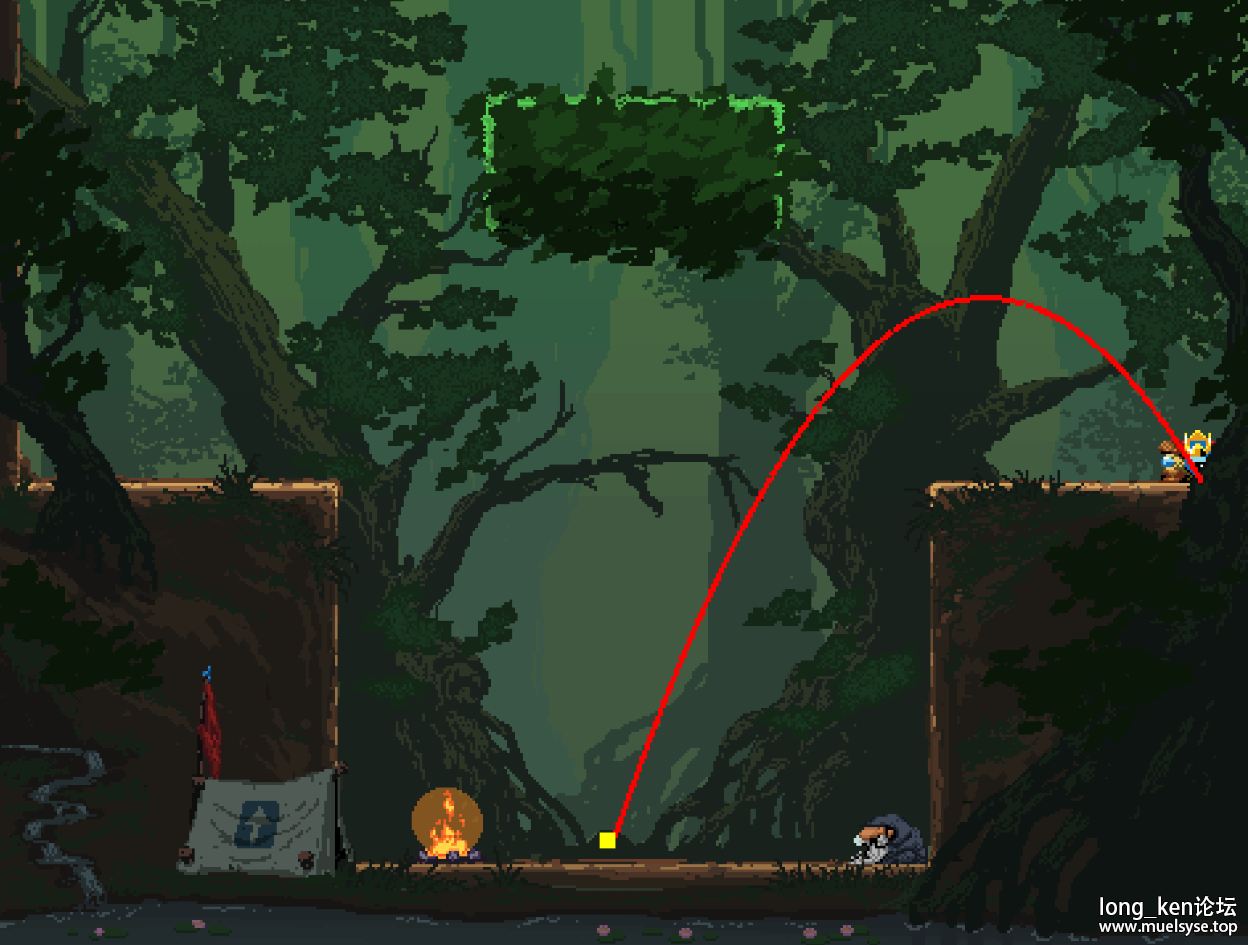
Function 功能:
F2: Prediction Mode -> Calibration Recording -> Off -> Prediction Mode
F3: Save Position
F4: Load Position
F5: Diagnostics (Removed)
预览图 Picture:
安装教程:
1.用dnSpy打开JumpKing.exe JumpKing -> JumpKing.exe -> JumpKing -> Program -> IsPC() 右键 编辑方法(C#) ,保存并编译
原:
- public static bool IsPC()
- {
- return Program.GetPlatform() == Program.HardwarePlatform.PC;
- }
插入这一段:
- System.Reflection.Assembly.LoadFrom(
- System.IO.Path.Combine(AppDomain.CurrentDomain.BaseDirectory, "TrajectoryPredictor.dll")
- ).GetType("TrajectoryPredictor.ModEntry").GetMethod("Init").Invoke(null, null);
变成:
- public static bool IsPC()
- {
- System.Reflection.Assembly.LoadFrom(
- System.IO.Path.Combine(AppDomain.CurrentDomain.BaseDirectory, "TrajectoryPredictor.dll")
- ).GetType("TrajectoryPredictor.ModEntry").GetMethod("Init").Invoke(null, null);
- return Program.GetPlatform() == Program.HardwarePlatform.PC;
- }
2.文件 -> 保存模块,把JumpKing.exe 替换游戏根目录下的 JumpKing.exe 并将0Harmony.dll TrajectoryPredictor.dll 放到根目录 开启游戏就有了。
Installation guide:
1. Open JumpKing.exe with dnSpy. Navigate to JumpKing -> JumpKing.exe -> JumpKing -> Program -> IsPC(), right-click, select Edit Method (C#), then save and compile.
Original code:
- public static bool IsPC()
- {
- return Program.GetPlatform() == Program.HardwarePlatform.PC;
- }
Insert the following lines:
- System.Reflection.Assembly.LoadFrom(
- System.IO.Path.Combine(AppDomain.CurrentDomain.BaseDirectory, "TrajectoryPredictor.dll")
- ).GetType("TrajectoryPredictor.ModEntry").GetMethod("Init").Invoke(null, null);
So it becomes:
- public static bool IsPC()
- {
- System.Reflection.Assembly.LoadFrom(
- System.IO.Path.Combine(AppDomain.CurrentDomain.BaseDirectory, "TrajectoryPredictor.dll")
- ).GetType("TrajectoryPredictor.ModEntry").GetMethod("Init").Invoke(null, null);
- return Program.GetPlatform() == Program.HardwarePlatform.PC;
- }
2. Go to File -> Save Module, and replace the JumpKing.exe in the game's root directory with the modified one. Put the 0Harmony.dll TrajectoryPredictor.dll in same folder . Launch the game and it should be loaded.
联机说明:
1.主菜单把Online 口 给勾上
2.点New Game或者 Continue 都可以
3.Shift+Tab 邀请同局域网的好友
4.朋友Shift+Tab 接受邀请即可。
Multiplayer Instructions:
1. At the main menu, check the Online ☐ box.
2. Click either New Game or Continue.
3. Press Shift+Tab and invite friends on the same LAN.
4. Your friends press Shift+Tab to accept the invite.
模组下载 Mod Download:
 Jump King Predictor.7z
(541.66 KB, 下载次数: 81)
Jump King Predictor.7z
(541.66 KB, 下载次数: 81)
VirusTotal杀毒:VirusTotal
SHA-1: C0395B1203B0B7EECCE3A8B898D751EEB172FDEF
客户端下载 Client Download:
BaiduPan :https://pan.baidu.com/s/1THHq-xs3ct5zrN-sVoOIdA?pwd=tnwx 提取码: tnwx
Pixeldrain :https://pixeldrain.com/u/9PjV8bni
源码 Srouce Code:
游客,本帖隐藏的内容需要积分高于 37 才可浏览,您当前积分为 0
| 

 末影水晶
末影水晶 金粒
金粒 金锭
金锭 爱心
爱心 下届合金
下届合金 竹子
竹子 TNT
TNT 信标
信标

 发表于 2026-7-5 12:33 PM